How to deal with impersonations on Instagram?
If someone created an Instagram account pretending to be you, you could report it.
Stage 1 - Report through an online form
Step 1: Go to this link.
Step 2: An official Instagram page will appear:
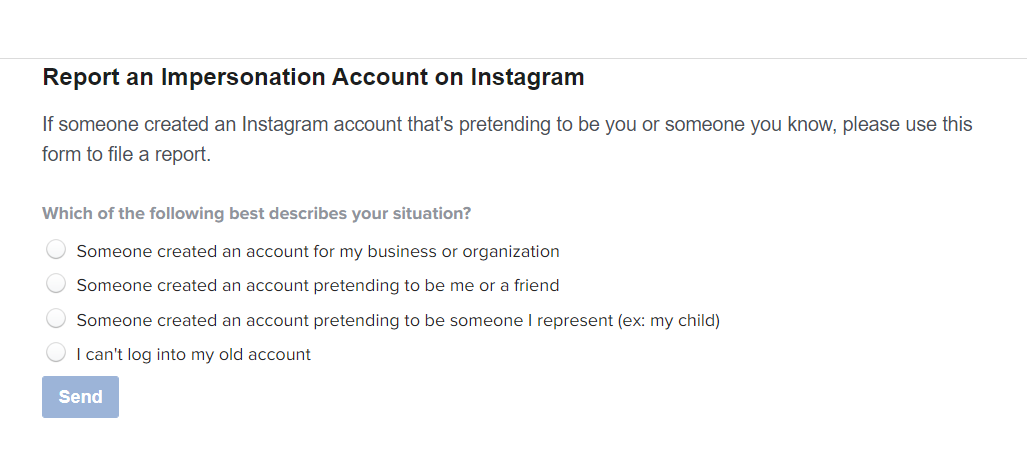
Step 3: Choose “Someone created an account pretending to be me or a friend” and then “Yes, I am the person being impersonated”
.png)
Step 4: Fill in your information, the username you own, and the impersonator’s username.
Step 5: Add your accepted ID by attaching it to the request. Accepted ID can be seen here.
Step 6: Press “Send.”
Stage 2 - Report through Community Violation
Step 1: Go to the Instagram App.
Step 2: Go to the impersonator profile.
Step 3: Press on the 3 vertical dots next to their username.
Step 4: Press “Report…”

Step 5: Press “Report Account”
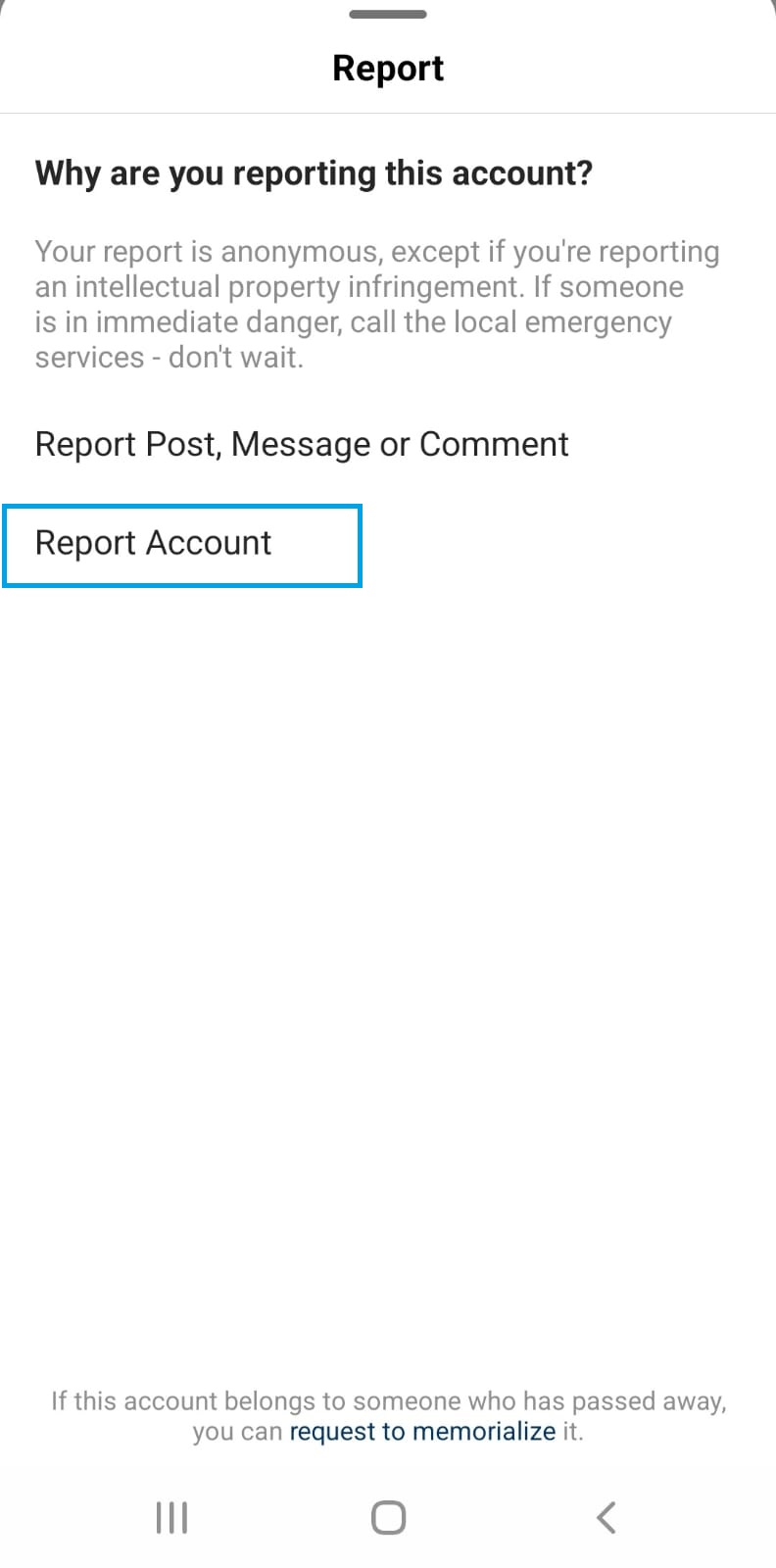
Step 6: Press “It’s pretending to be someone else”
.jpeg)
Step 7: Press “Me” and then tap “Next”
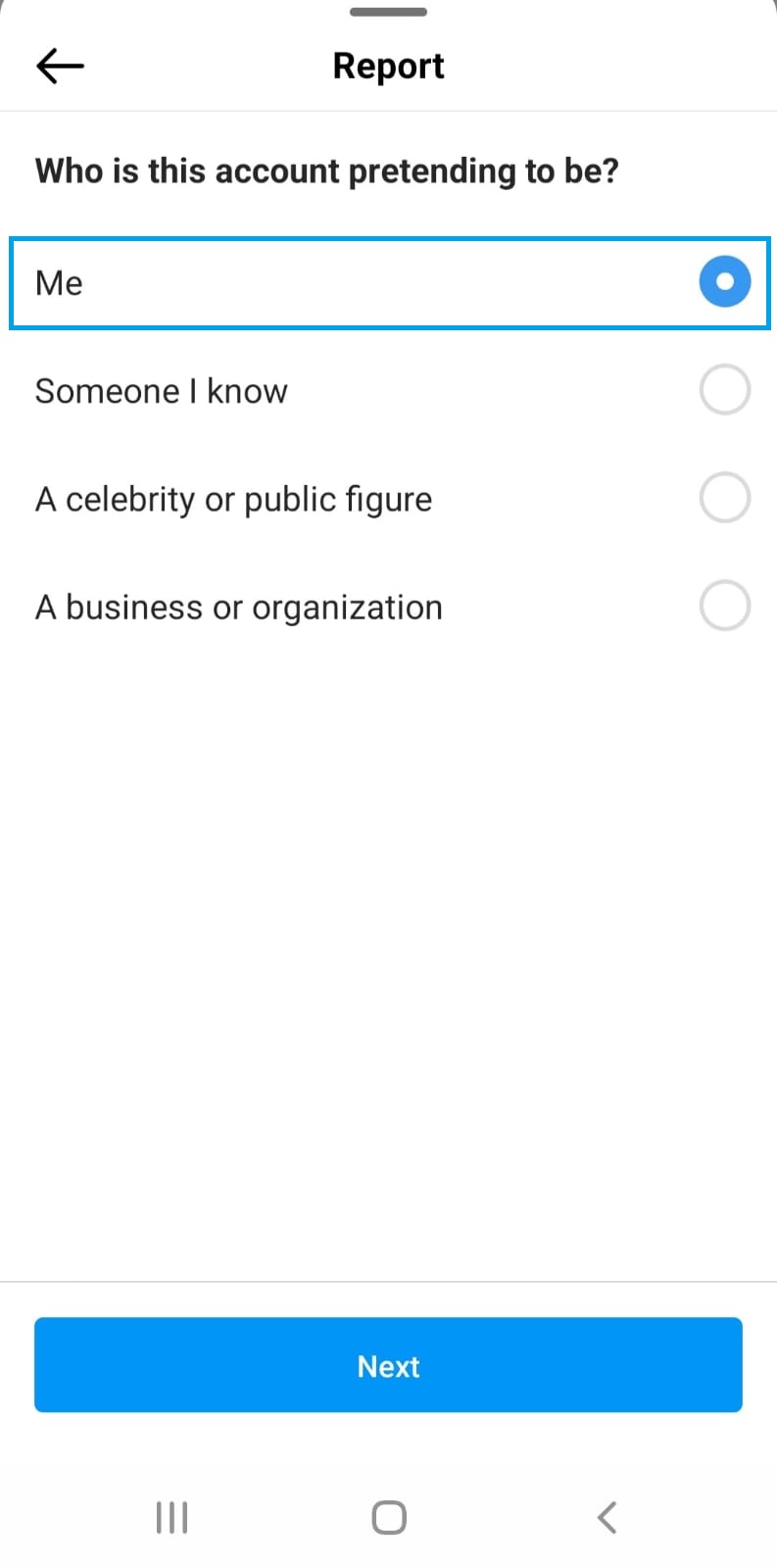
Step 8: Send this link to your friends and ask them to do this process as well. Make sure they press on “Someone I know.”
.jpeg)
Step 10: Wait a few days and repeat this process every 2 days.
Feel free to get our support at any stage!